Acción de Photoshop con efecto de piel
Descripción Corta:
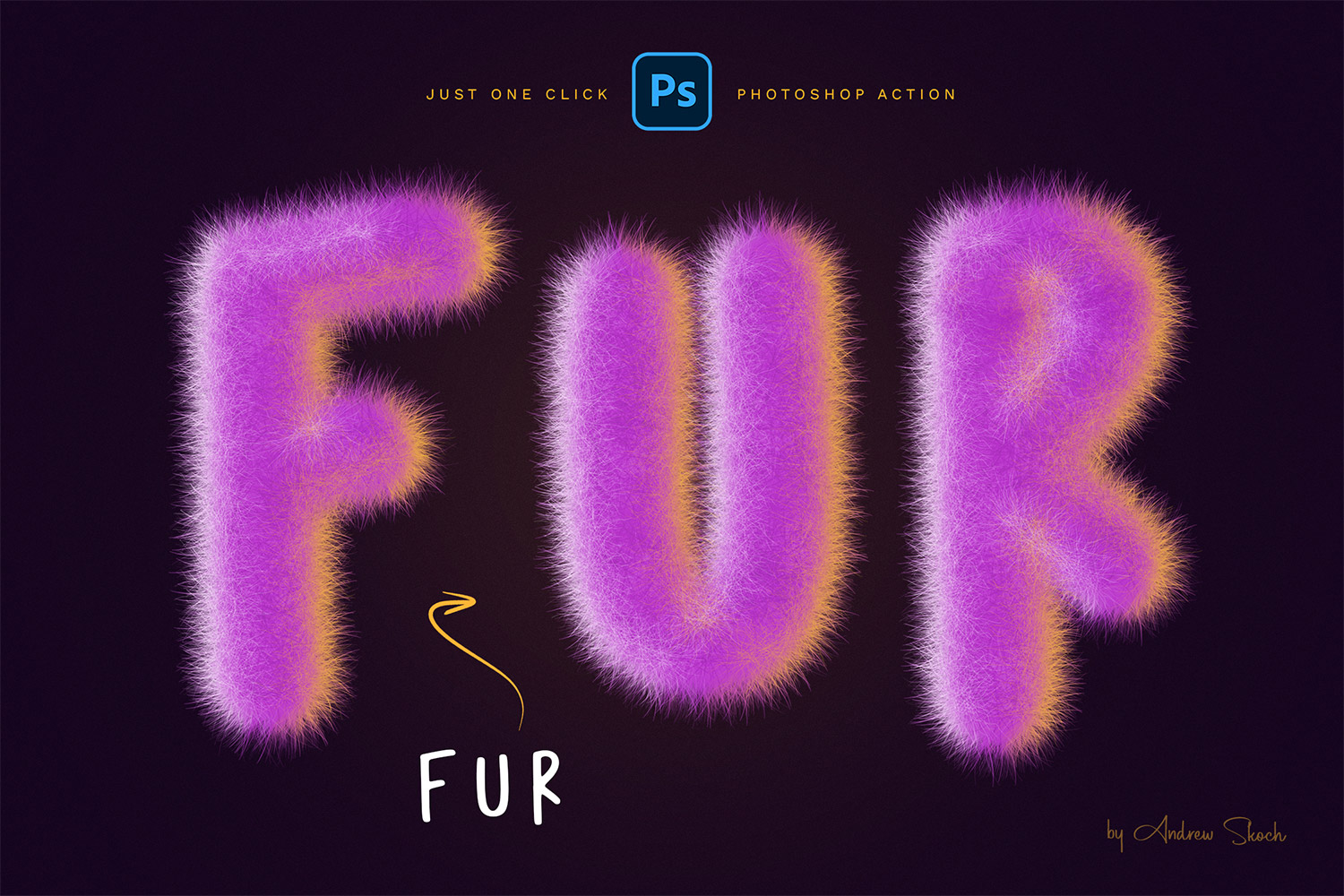
Fur Effect Photoshop Action
Get funny fur effect from your text, shape, logo in just a few seconds! This is so easy! Just choose needed layer or group and click 'PLAY'. Also you can add PNG eyes to your fur shapes and create funny characters in this way
Features:
- Cute fur effect with double light
- You can choose colors of fur and lights
- You can play action many times in the same PSD project
- You can play action multiple times to get different results
- Works so fast! Just a few seconds
FUR effect with double light
Action creates double light effect automatically! You can choose colors of light via color wheel.
Multilingual Photoshop Action
You can set any language for your Photoshop interface and action will work excellent. Also you can play action multiple times in the same PSD project. You can make multiple variants in the same project. It saves your time!
Works with:
- Text
- Logo
- Shape
- Layer group
- Raster layer
What you get:
- ANT File – action file
- ABR File – brushes file
- PSD template for easy start
- PNG – 5 eyes for decoration
- PDF – Help file with instructions
Color: black, brown, pink,tags: eyes, fluffy, fur, fury, fur photoshop, fur brush, fur effect, funny fur,
Tema: Design, Design & Photography,
-
Gratis 24/7
Equipo de Soporte -
Soluciones
Desde el Cero -
Calidad
Premium -
1 200 000+
Clientes Satisfechos
| Plantilla # | 278473 |
| Tipo: | Illustrations |
| Autor: | Sko4 |
| Descargas: | 0 |
| Plantilla # | 278473 |
| Tipo: | Illustrations |
| Autor: | Sko4 |
| Descargas: | 0 |